> ## Documentation Index
> Fetch the complete documentation index at: https://docs.probalytics.io/llms.txt
> Use this file to discover all available pages before exploring further.
# Quickstart
> Get started with Probalytics in 2 minutes
Choose your access method and get working code in 2 minutes.
## REST API
Query prediction market data via HTTP with simple authentication.
### Setup (1 min)
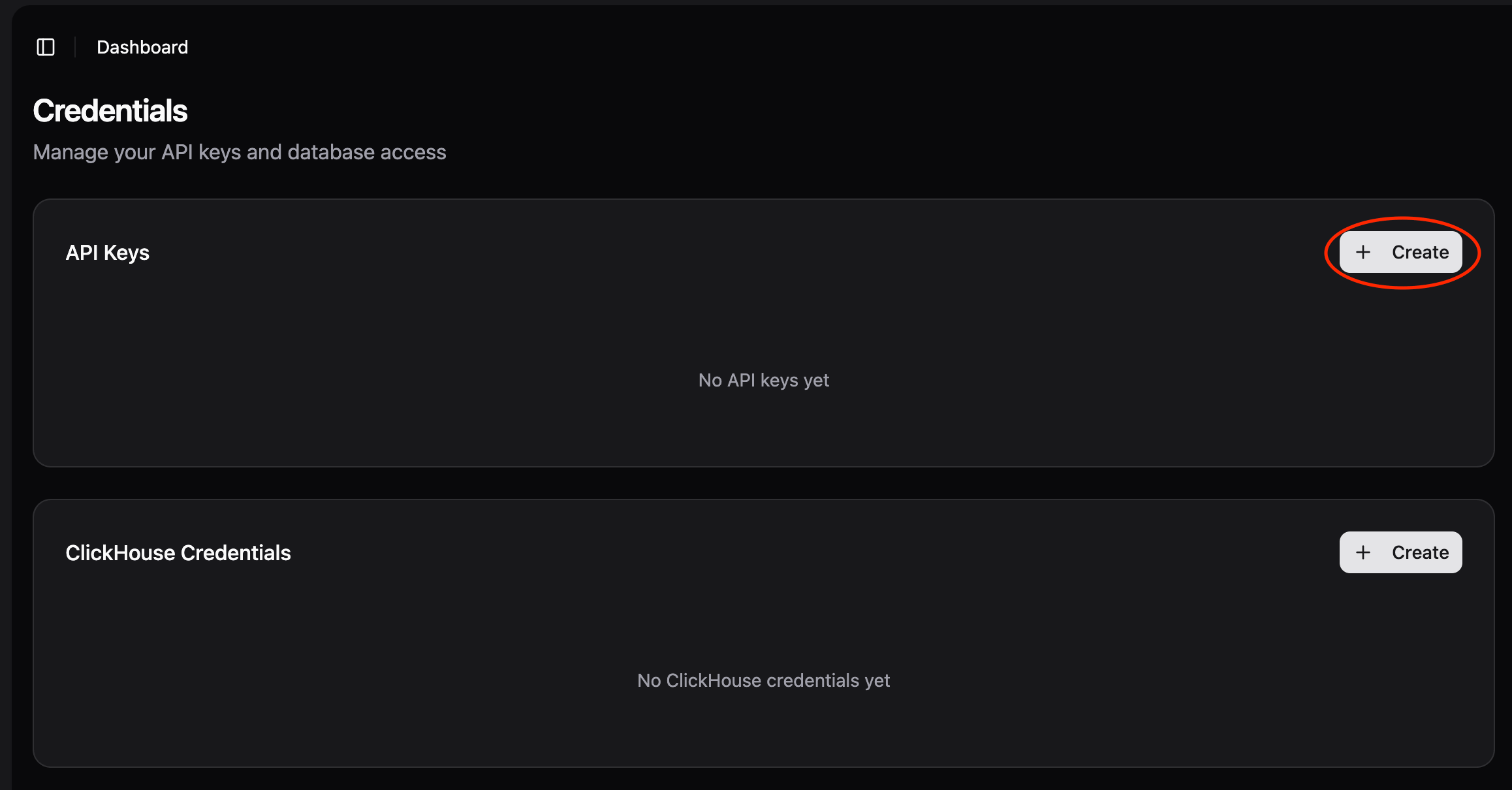
#### Step 1: Click "Create API Key"
Go to [app.probalytics.io](https://app.probalytics.io) → API Keys section
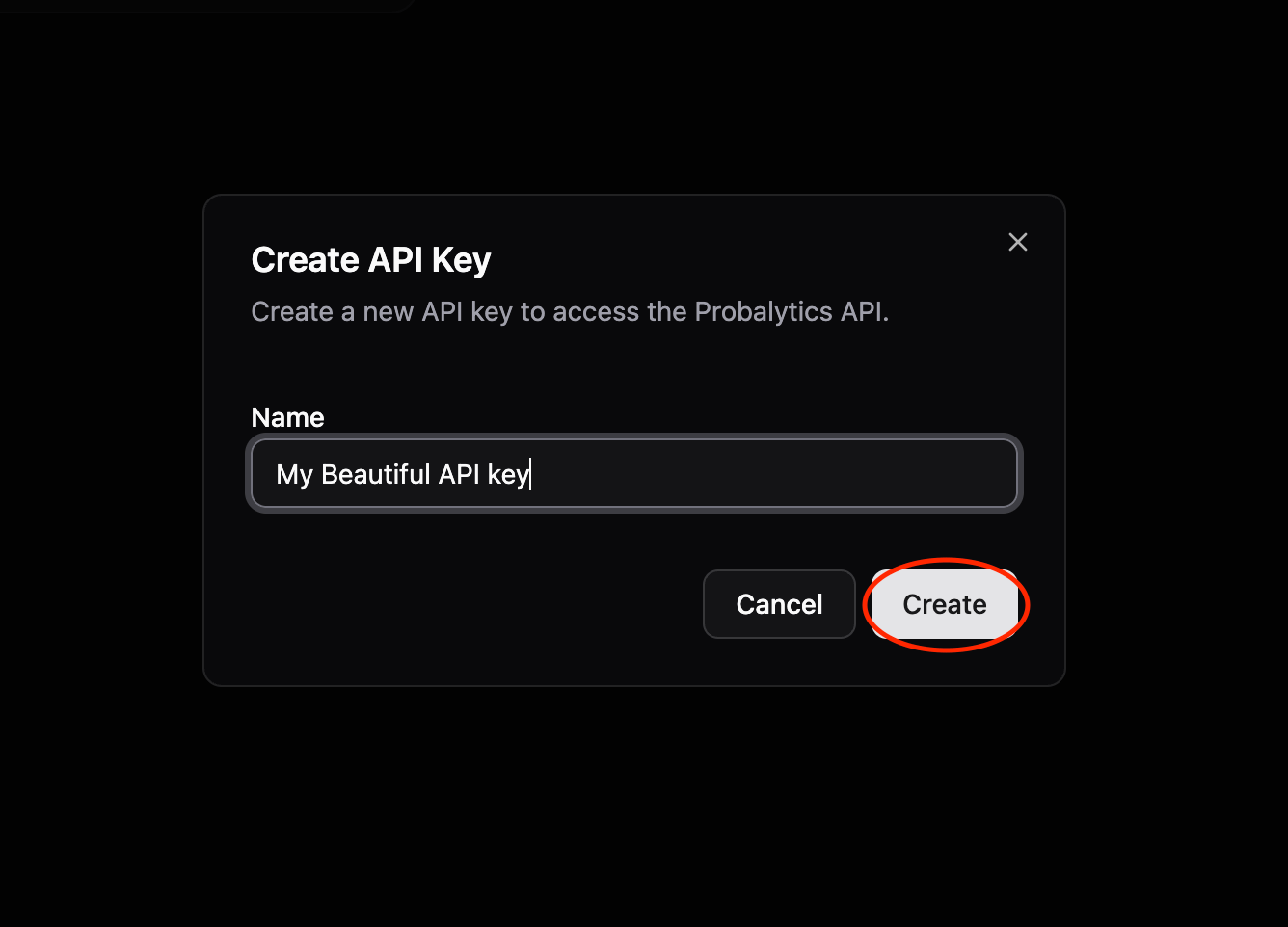
 #### Step 2: Enter Credential Name
Give your key a name (e.g., "trading-bot", "research")
#### Step 2: Enter Credential Name
Give your key a name (e.g., "trading-bot", "research")
 #### Step 3: Copy API Key ID and API Key Secret
Copy both the **API Key ID** and **API Key Secret** from the dashboard.
#### Step 3: Copy API Key ID and API Key Secret
Copy both the **API Key ID** and **API Key Secret** from the dashboard.
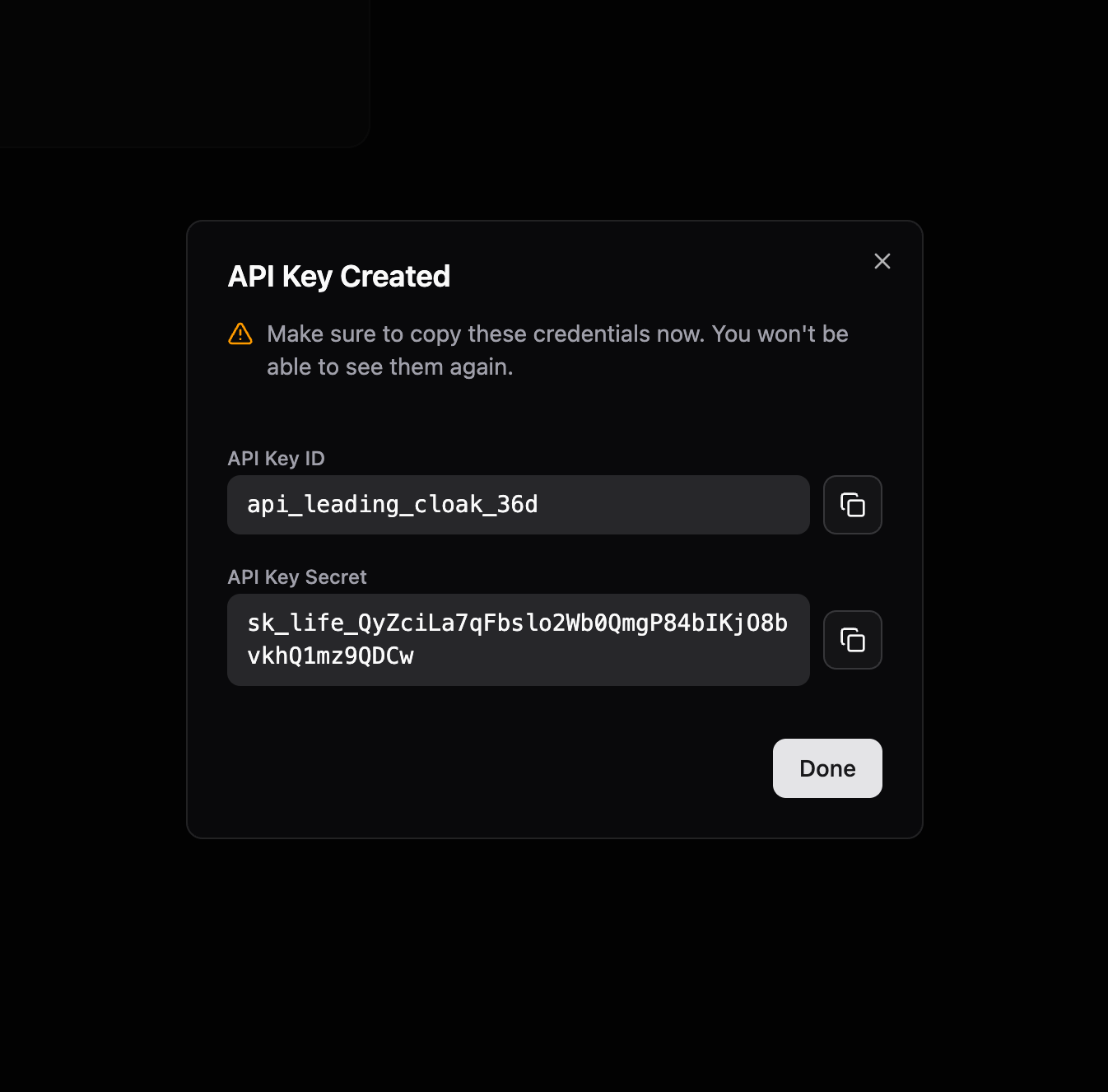 Keep your API Key Secret secure. Never commit it to git or expose it publicly.
### Make Your First Request
Concatenate **API Key ID** and **API Key Secret** with a colon in the `Authorization` header:
```
Authorization: Bearer API_KEY_ID:API_KEY_SECRET
```
```python theme={null}
import requests
API_KEY_ID = "api_brave_cosmic_falcon"
API_KEY_SECRET = "sk_life_AbCdEfGh..."
API_KEY = f"{API_KEY_ID}:{API_KEY_SECRET}"
headers = {"Authorization": f"Bearer {API_KEY}"}
response = requests.get(
"https://api.probalytics.io/api/v1/markets",
headers=headers
)
markets = response.json()
print(f"Found {len(markets)} markets")
```
See the REST API section in the sidebar for:
* All endpoints (GET /markets, GET /fills)
* Query parameters & filtering
* Complete response examples
## SQL (ClickHouse)
Direct database access for analytics, batch operations, and complex queries.
### Setup (2 min)
#### Step 1: Click "Create ClickHouse Credentials"
Go to [app.probalytics.io](https://app.probalytics.io) → ClickHouse Credentials section
Keep your API Key Secret secure. Never commit it to git or expose it publicly.
### Make Your First Request
Concatenate **API Key ID** and **API Key Secret** with a colon in the `Authorization` header:
```
Authorization: Bearer API_KEY_ID:API_KEY_SECRET
```
```python theme={null}
import requests
API_KEY_ID = "api_brave_cosmic_falcon"
API_KEY_SECRET = "sk_life_AbCdEfGh..."
API_KEY = f"{API_KEY_ID}:{API_KEY_SECRET}"
headers = {"Authorization": f"Bearer {API_KEY}"}
response = requests.get(
"https://api.probalytics.io/api/v1/markets",
headers=headers
)
markets = response.json()
print(f"Found {len(markets)} markets")
```
See the REST API section in the sidebar for:
* All endpoints (GET /markets, GET /fills)
* Query parameters & filtering
* Complete response examples
## SQL (ClickHouse)
Direct database access for analytics, batch operations, and complex queries.
### Setup (2 min)
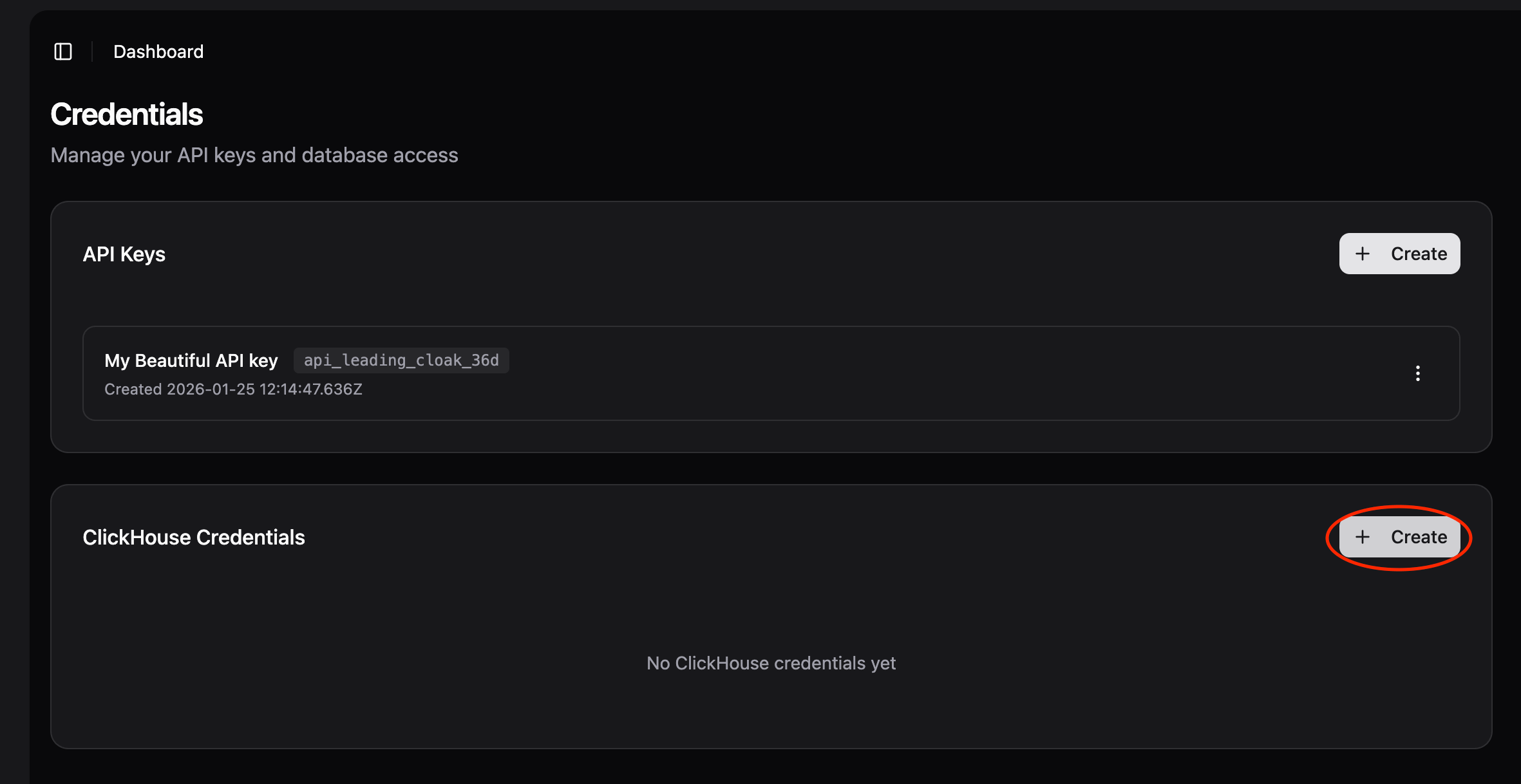
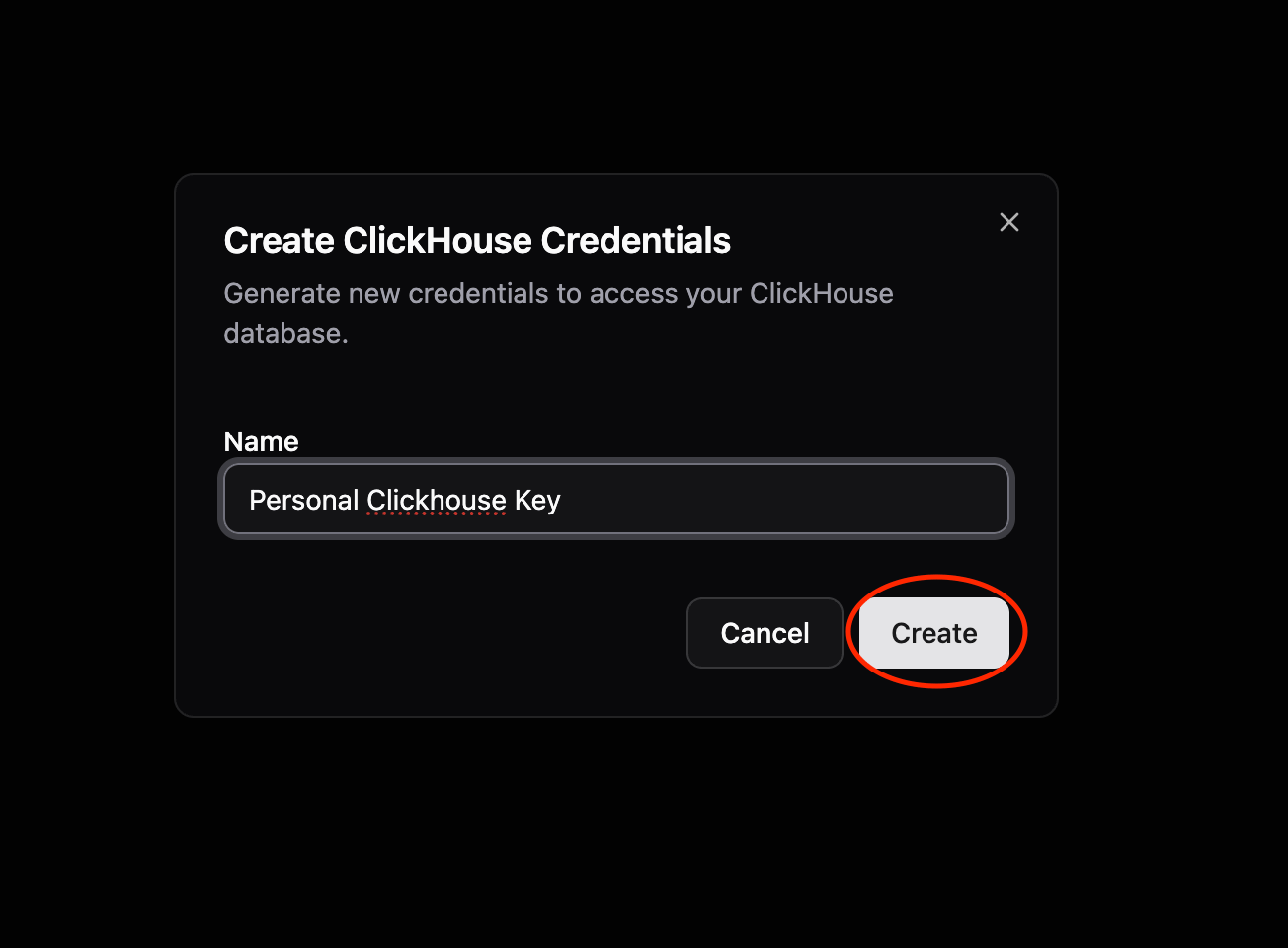
#### Step 1: Click "Create ClickHouse Credentials"
Go to [app.probalytics.io](https://app.probalytics.io) → ClickHouse Credentials section
 #### Step 2: Enter Credential Name
Give your credentials a name (e.g., "research", "dashboard")
#### Step 2: Enter Credential Name
Give your credentials a name (e.g., "research", "dashboard")
 #### Step 3: Copy Username and Password
Copy both the username and password generated for you.
#### Step 3: Copy Username and Password
Copy both the username and password generated for you.
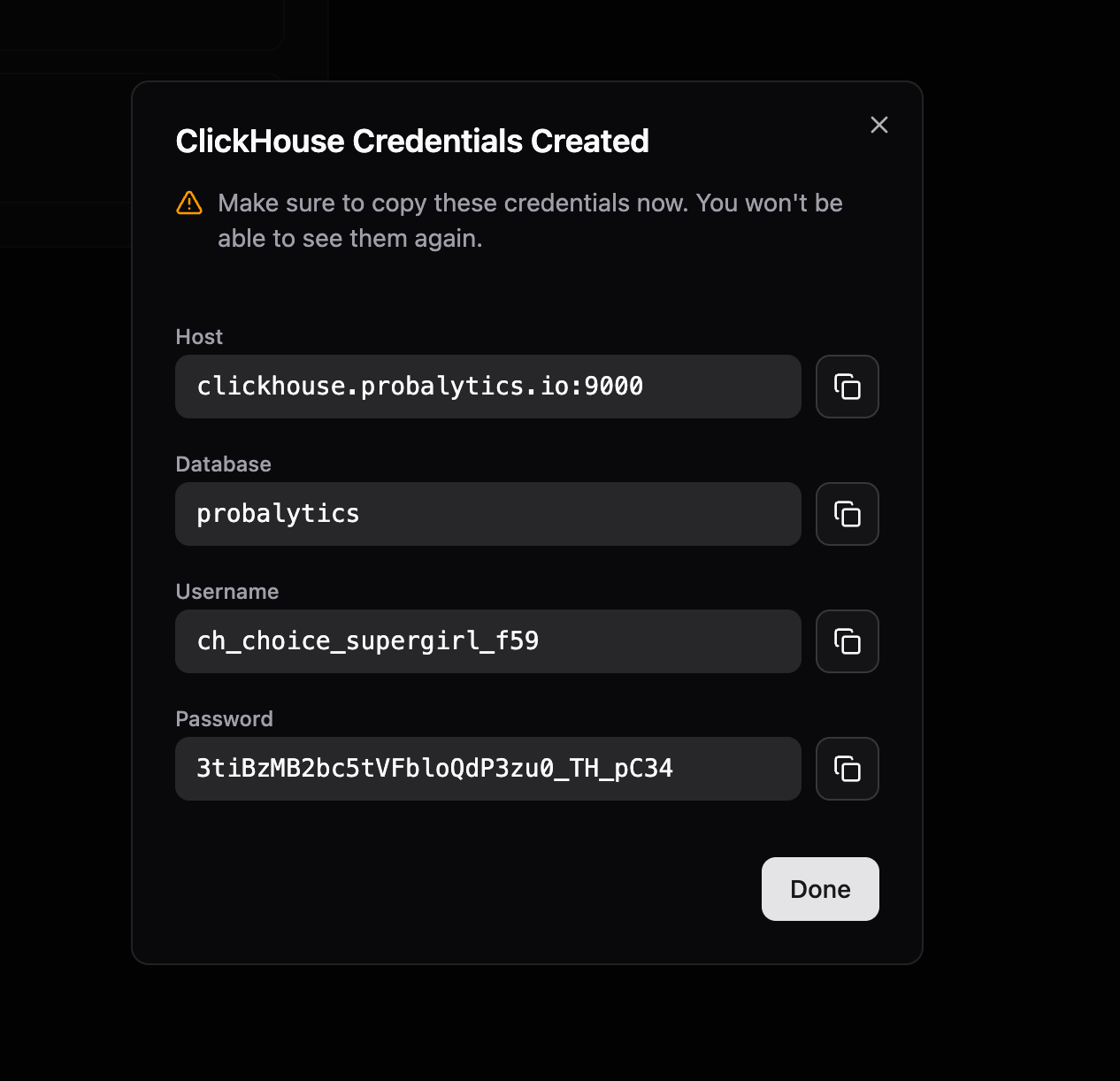 ### Connection Details
* **Host**: `clickhouse.probalytics.io`
* **Port**: `9440` (Secure TCP) or `8443` (Secure HTTPS)
* **Database**: `probalytics`
* **Username**: From dashboard
* **Password**: From dashboard
All connections are secured with TLS encryption. Use the secure ports and enable TLS/SSL in your client.
### Connect with CLI
```bash theme={null}
clickhouse client --host=clickhouse.probalytics.io --secure --port=9440 --user=YOUR_USERNAME --password=YOUR_PASSWORD --database=probalytics
```
### Connect with Python
Install first: `pip install clickhouse-driver`
```python theme={null}
from clickhouse_driver import Client
client = Client(
host='clickhouse.probalytics.io',
port=9440,
user='YOUR_USERNAME',
password='YOUR_PASSWORD',
database='probalytics',
secure=True
)
result = client.execute('SELECT count() FROM markets;')
print(f"Total markets: {result[0][0]}")
```
### First Query
```sql theme={null}
SELECT count() FROM markets;
```
See [SQL Guide](/docs/sql-guide/overview) for:
* More connection tools (CLI, JavaScript, Go, DBeaver)
* Table schemas
* Query examples
* Performance tips
## Which Method Should I Use?
**REST API**
* ✓ Simple to integrate
* ✓ Good for production applications
* ✗ Limited query flexibility
**SQL (ClickHouse)**
* ✓ Complex queries and analytics
* ✓ Aggregations and joins
* ✓ Full historical data (Pro tier+)
* ✓ Super fast analytics
## Next Steps
Tables, schemas, query templates
Real-world examples
Copy-paste recipes
### Connection Details
* **Host**: `clickhouse.probalytics.io`
* **Port**: `9440` (Secure TCP) or `8443` (Secure HTTPS)
* **Database**: `probalytics`
* **Username**: From dashboard
* **Password**: From dashboard
All connections are secured with TLS encryption. Use the secure ports and enable TLS/SSL in your client.
### Connect with CLI
```bash theme={null}
clickhouse client --host=clickhouse.probalytics.io --secure --port=9440 --user=YOUR_USERNAME --password=YOUR_PASSWORD --database=probalytics
```
### Connect with Python
Install first: `pip install clickhouse-driver`
```python theme={null}
from clickhouse_driver import Client
client = Client(
host='clickhouse.probalytics.io',
port=9440,
user='YOUR_USERNAME',
password='YOUR_PASSWORD',
database='probalytics',
secure=True
)
result = client.execute('SELECT count() FROM markets;')
print(f"Total markets: {result[0][0]}")
```
### First Query
```sql theme={null}
SELECT count() FROM markets;
```
See [SQL Guide](/docs/sql-guide/overview) for:
* More connection tools (CLI, JavaScript, Go, DBeaver)
* Table schemas
* Query examples
* Performance tips
## Which Method Should I Use?
**REST API**
* ✓ Simple to integrate
* ✓ Good for production applications
* ✗ Limited query flexibility
**SQL (ClickHouse)**
* ✓ Complex queries and analytics
* ✓ Aggregations and joins
* ✓ Full historical data (Pro tier+)
* ✓ Super fast analytics
## Next Steps
Tables, schemas, query templates
Real-world examples
Copy-paste recipes