REST API
Query prediction market data via HTTP with simple authentication.Setup (1 min)
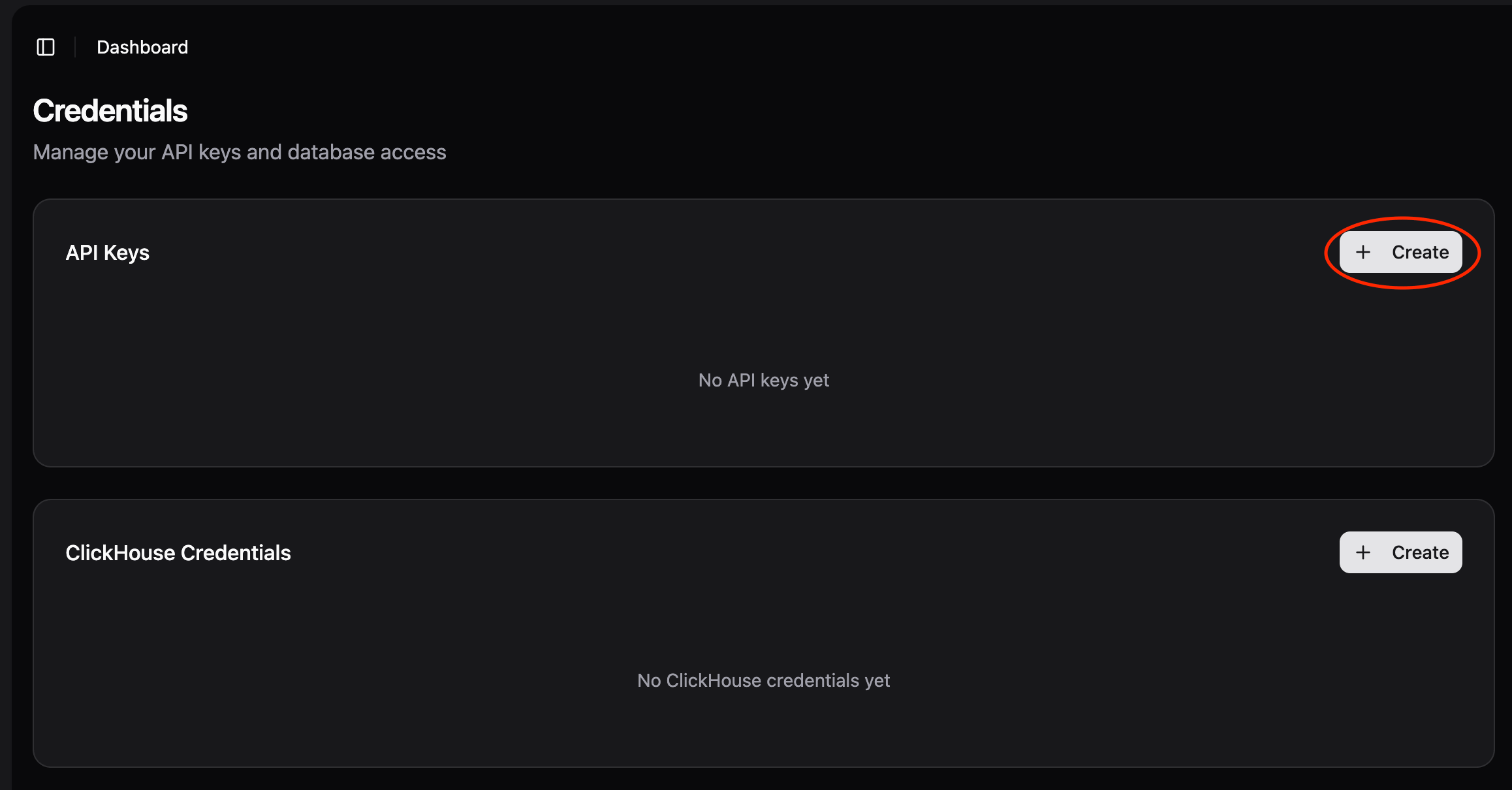
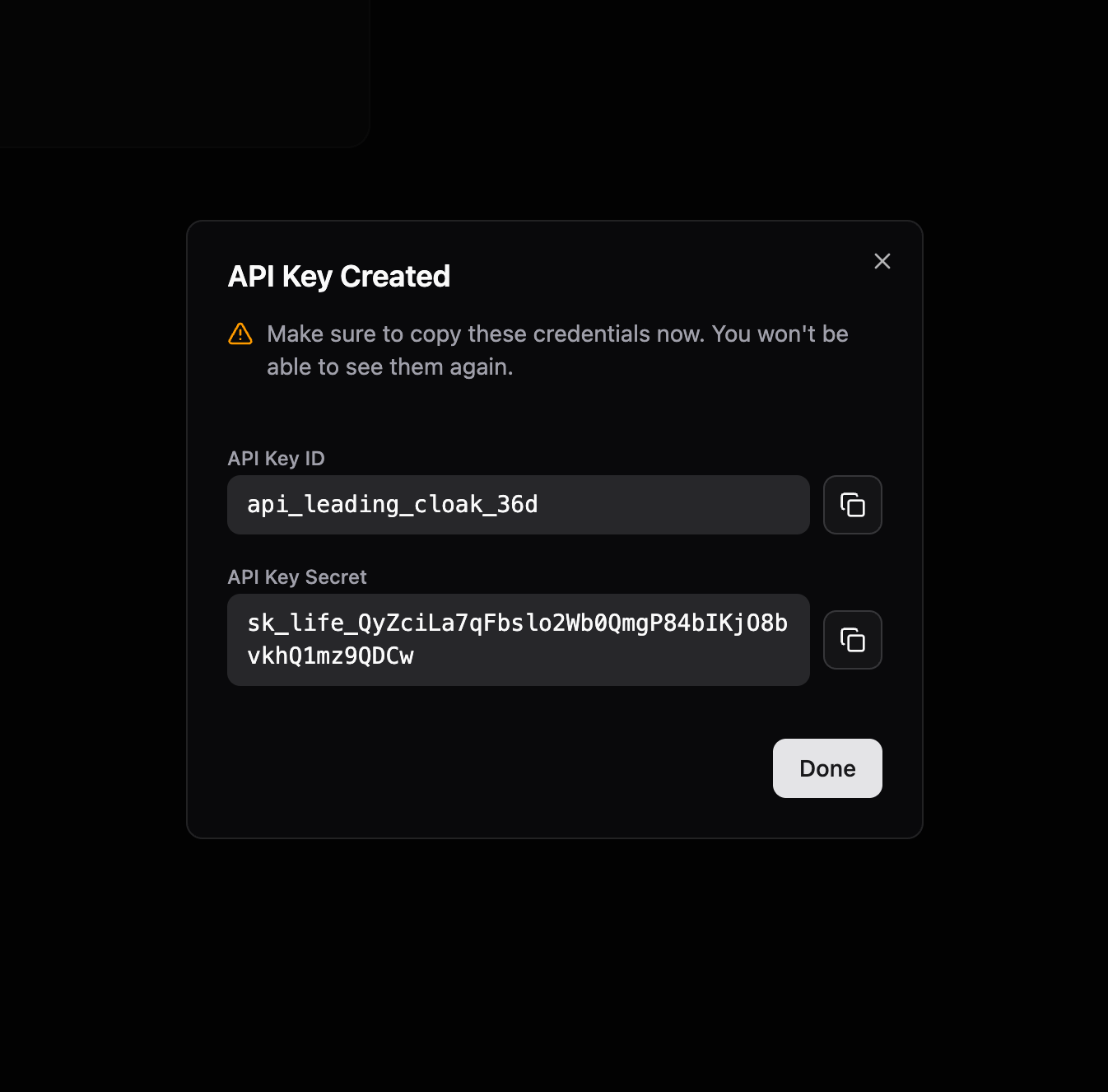
Step 1: Click “Create API Key”
Go to app.probalytics.io → API Keys sectionStep 2: Enter Credential Name
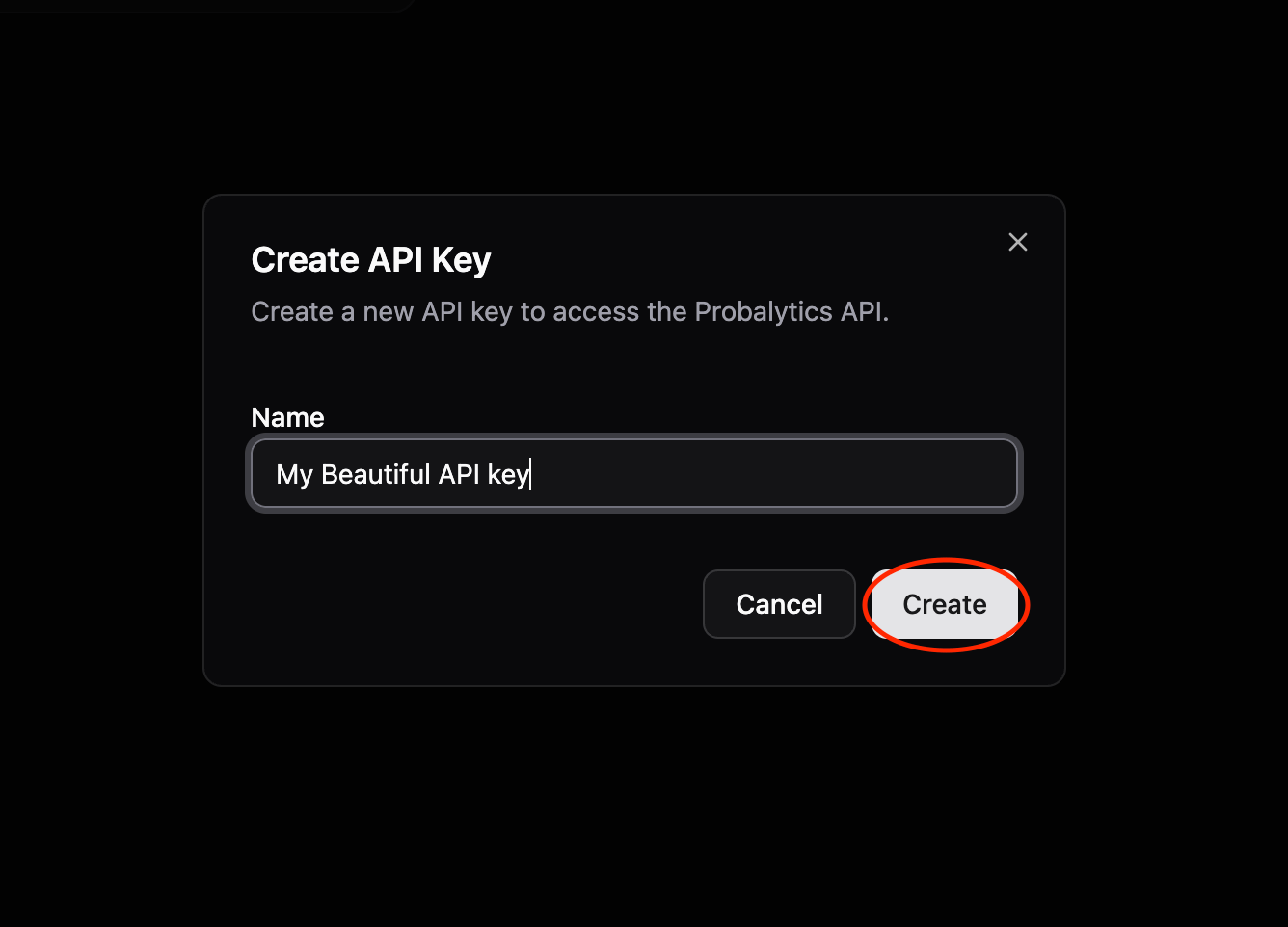
Give your key a name (e.g., “trading-bot”, “research”)Step 3: Copy API Key ID and API Key Secret
Copy both the API Key ID and API Key Secret from the dashboard.Keep your API Key Secret secure. Never commit it to git or expose it publicly.
Make Your First Request
Concatenate API Key ID and API Key Secret with a colon in the Authorization header:Authorization: Bearer API_KEY_ID:API_KEY_SECRET
import requests
API_KEY_ID = "api_brave_cosmic_falcon"
API_KEY_SECRET = "sk_life_AbCdEfGh..."
API_KEY = f"{API_KEY_ID}:{API_KEY_SECRET}"
headers = {"Authorization": f"Bearer {API_KEY}"}
response = requests.get(
"https://api.probalytics.io/api/v1/markets",
headers=headers
)
markets = response.json()
print(f"Found {len(markets)} markets")
See REST API Reference for:
- All endpoints (GET /markets, GET /trades)
- Query parameters & filtering
- Complete response examples
- Other languages (cURL, JavaScript, Go, TypeScript)
SQL (ClickHouse)
Direct database access for analytics, batch operations, and complex queries.Setup (2 min)
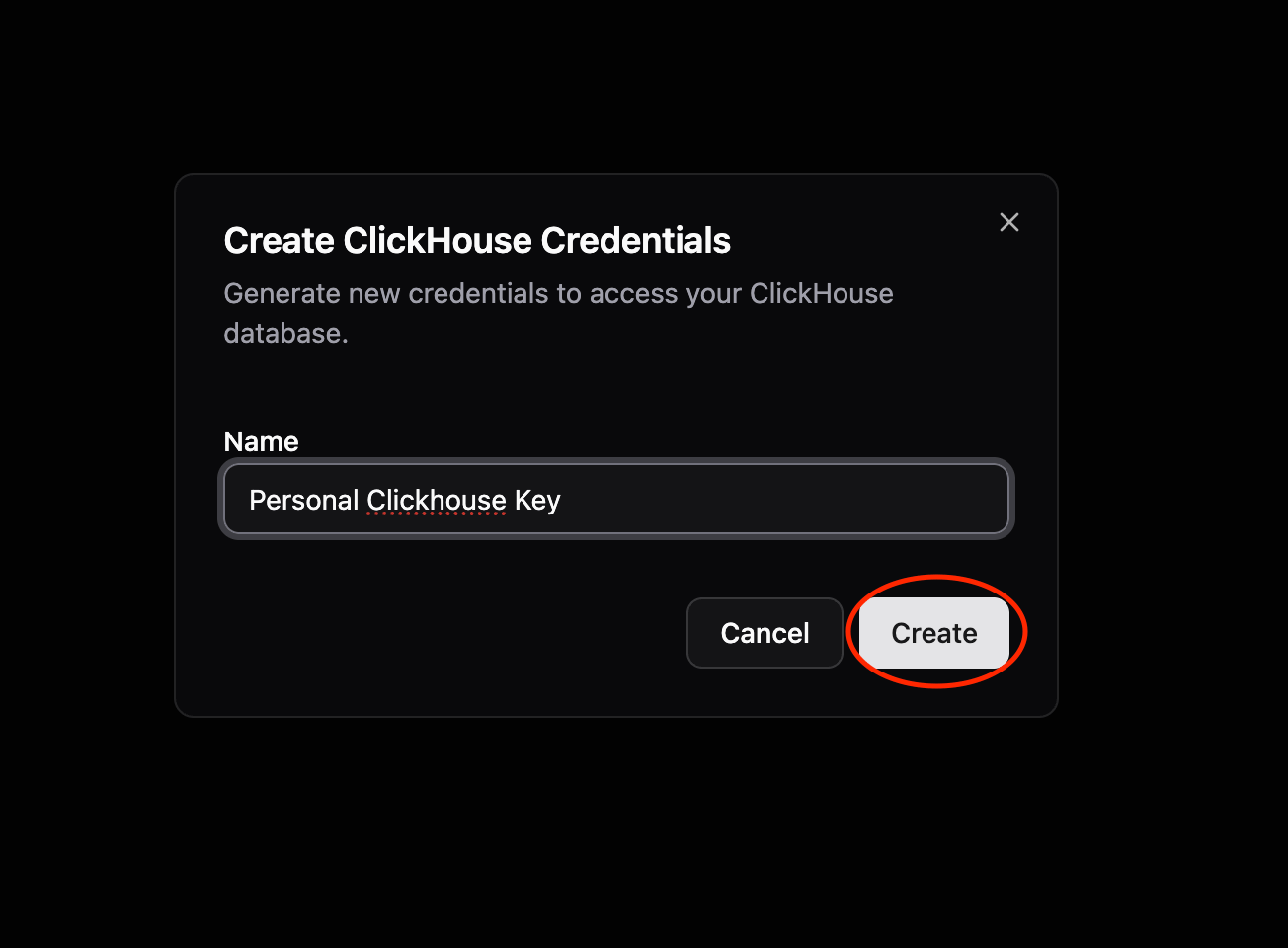
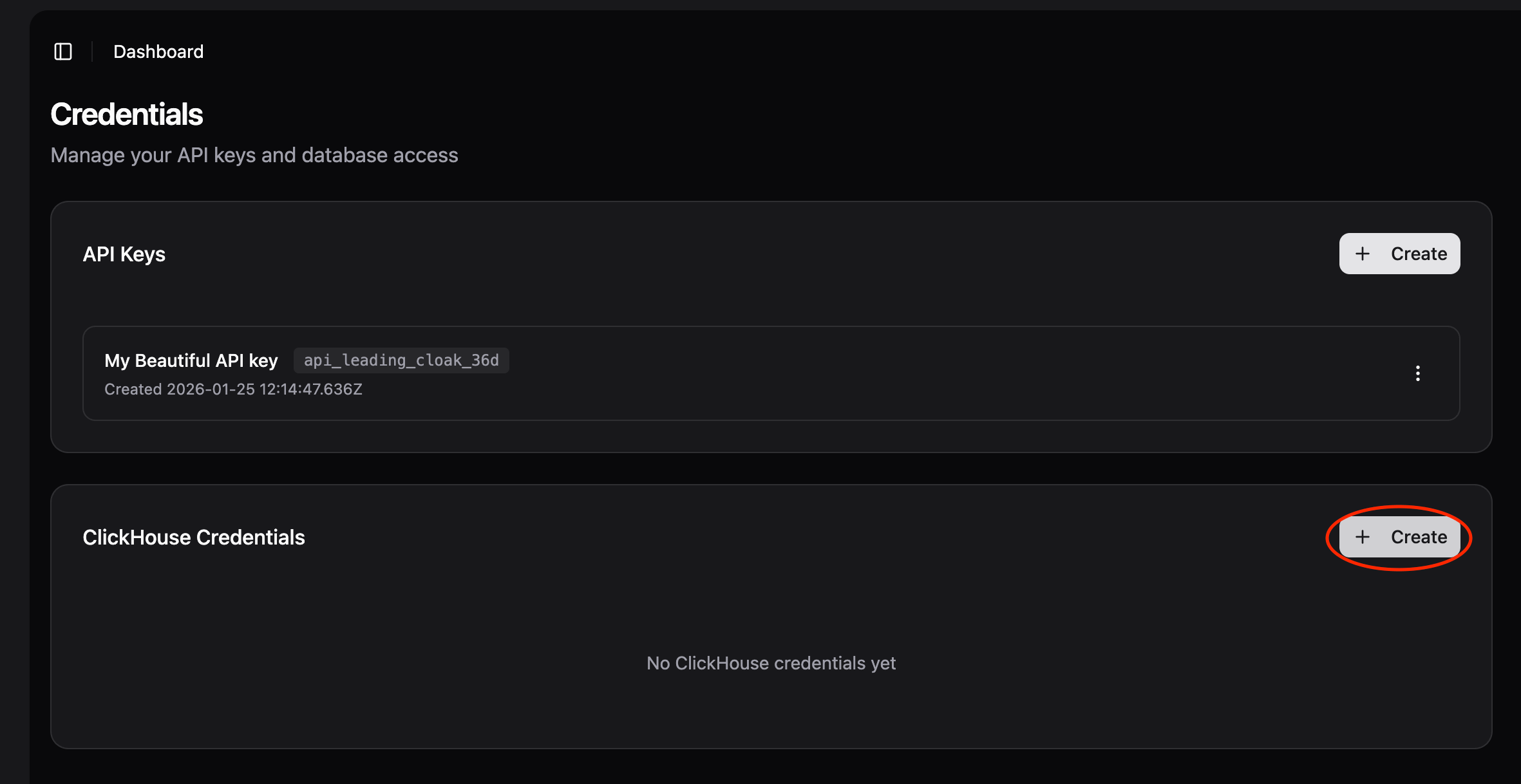
Step 1: Click “Create ClickHouse Credentials”
Go to app.probalytics.io → ClickHouse Credentials sectionStep 2: Enter Credential Name
Give your credentials a name (e.g., “research”, “dashboard”)Step 3: Copy Username and Password
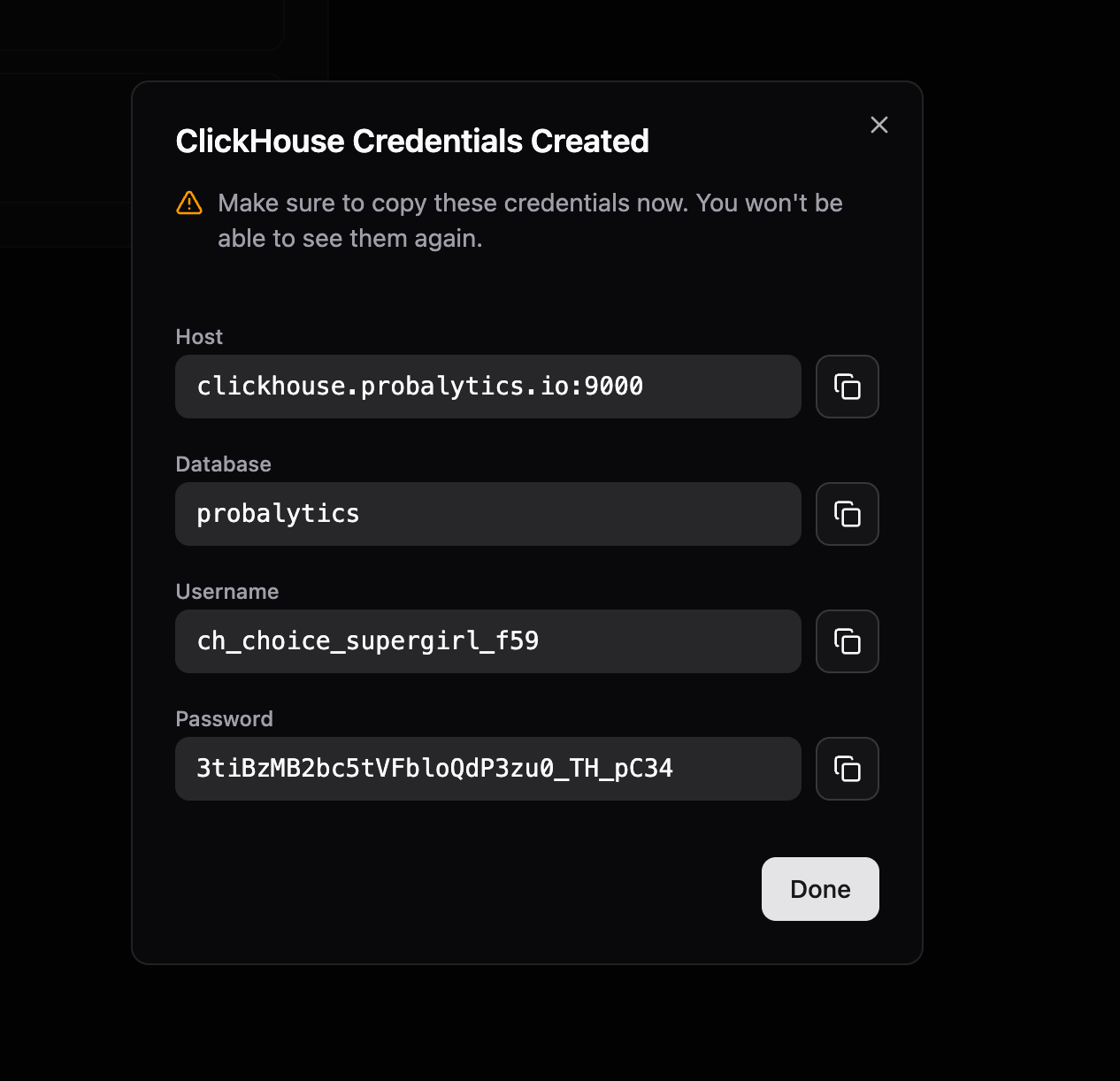
Copy both the username and password generated for you.Connection Details
- Host:
clickhouse.probalytics.io
- Port:
9440 (Secure TCP) or 8443 (Secure HTTPS)
- Database:
probalytics
- Username: From dashboard
- Password: From dashboard
All connections are secured with TLS encryption. Use the secure ports and enable TLS/SSL in your client.
Connect with CLI
clickhouse client --host=clickhouse.probalytics.io --secure --port=9440 --user=YOUR_USERNAME --password=YOUR_PASSWORD --database=probalytics
Connect with Python
Install first: pip install clickhouse-driverfrom clickhouse_driver import Client
client = Client(
host='clickhouse.probalytics.io',
port=9440,
user='YOUR_USERNAME',
password='YOUR_PASSWORD',
database='probalytics',
secure=True
)
result = client.execute('SELECT count() FROM markets;')
print(f"Total markets: {result[0][0]}")
First Query
SELECT count() FROM markets;
See SQL Guide for:
- More connection tools (CLI, JavaScript, Go, DBeaver)
- Table schemas
- Query examples
- Performance tips